
Download Postgenerator – AI‑Powered LinkedIn Post Creator & Engagement Booster
Overview
Postgenerator is an AI‑driven software application designed to supercharge LinkedIn post engagement. Built on the latest large‑language‑model technology, including ChatGPT, and deployed through Vercel Edge Functions, the tool offers real‑time recommendations that align with LinkedIn’s ever‑changing algorithm. Whether you are a solo entrepreneur, a marketing manager, or a content creator, Postgenerator helps you craft compelling posts in a fraction of the time it would normally take.
The platform supports a wide range of post formats—static images, carousel slides, short videos, and even LinkedIn Stories—so you can experiment with different content types without leaving the app. Developed by AI specialist Iuliia Shnai, the software blends machine‑learning insights with practical copy‑writing tips, delivering a seamless experience that turns data‑driven strategy into creative output. With automatic post generation, performance analytics, and a library of proven headline formulas, Postgenerator removes guesswork and puts you in control of your LinkedIn growth.
The free version provides ample functionality for most users, while premium upgrades unlock advanced analytics, bulk‑post scheduling, and priority support. In short, Postgenerator is the only LinkedIn‑focused AI tool that combines ease of use, deep algorithmic knowledge, and multi‑format flexibility, making it a must‑have for anyone serious about building a professional brand on the world’s largest business network.
Key Features That Drive LinkedIn Success
- AI‑Generated Copy: Instantly produce attention‑grabbing headlines, body text, and calls‑to‑action tailored to your industry and audience.
- Algorithm Insight Engine: Real‑time analysis of LinkedIn’s ranking signals, ensuring each post aligns with the platform’s current preferences.
- Multi‑Format Support: Create posts for images, carousel slides, short videos, and Stories—all from a single dashboard.
- Automatic Performance Checks: Get predictive engagement scores before you publish, helping you tweak content for maximum reach.
- Content Calendar Integration: Sync with Google Calendar or Outlook to schedule AI‑crafted posts at optimal times.
- Bulk Generation Mode: Produce dozens of post variations in seconds for A/B testing or campaign bursts.
- Custom Brand Voice Settings: Train the AI on your previous top‑performing posts to maintain a consistent tone.
- Secure Cloud Storage: All generated content is saved in encrypted servers, accessible only to you.
- Free Tier & Premium Upgrade: Start for free with unlimited AI suggestions; upgrade for advanced analytics and priority support.
Each feature has been carefully designed to eliminate the friction points that content creators typically face on LinkedIn. For instance, the AI‑Generated Copy leverages context‑aware prompts, meaning the suggestions are not generic but specifically aligned with the latest trends in your niche. Meanwhile, the Algorithm Insight Engine continuously crawls LinkedIn’s public data to surface the most effective hashtags, posting times, and engagement tactics.
This combination of predictive intelligence and practical tools ensures you spend less time iterating and more time building relationships, leads, and authority. Moreover, the platform’s multi‑format support acknowledges that modern LinkedIn users consume content in varied ways; whether you’re showcasing a product demo via video or highlighting key statistics through a carousel, Postgenerator provides the right template and copy to keep the audience engaged. The integrated content calendar and bulk generation capabilities further streamline the workflow, making it simple to plan a month’s worth of high‑impact posts in a single sitting.
Finally, the free tier is generous enough for freelancers and small teams, while the premium package adds deep analytics such as dwell time, click‑through rates, and follower growth projections—metrics that are essential for data‑driven decision making.
Step‑by‑Step Installation and Real‑World Usage
Getting started with Postgenerator is straightforward, whether you prefer a web‑based interface or a native desktop client. Follow these steps to download, install, and launch the tool on your preferred operating system.
1. System Requirements
Postgenerator runs on Windows 10 or later, macOS 11 (Big Sur) or later, and Linux distributions with a recent version of Node.js. Mobile apps are also available for Android 8+ and iOS 13+. Minimum specifications include 4 GB RAM, 200 MB free disk space, and a stable internet connection for AI processing.
2. Download Process
- Visit the official Postgenerator website and click the Download button that matches your OS.
- The installer (EXE for Windows, DMG for macOS, or AppImage for Linux) will start downloading automatically. For mobile, use the Google Play Store or Apple App Store.
- Once the file is saved, run the installer and follow the on‑screen prompts. The setup wizard will verify system compatibility and install required dependencies.
3. Account Creation & Initial Setup
After installation, launch Postgenerator and create a free account using your email or LinkedIn credentials. Linking your LinkedIn profile enables the algorithm insight engine to pull historical performance data, which enhances the AI’s recommendation accuracy. You’ll be prompted to set up your brand voice by selecting sample posts from your feed; the system will use these as training data.
4. Generating Your First Post
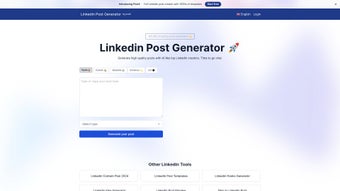
From the dashboard, select the New Post button. Choose the desired format (image, carousel, video, or story), then enter a brief brief description of the topic you want to cover. Click Generate, and within seconds, Postgenerator will present three headline options, suggested body copy, and a list of optimal hashtags. You can edit any part of the content or request a fresh set of suggestions.
5. Real‑Time Performance Check
Before publishing, click the Predictive Score button. The AI evaluates the post against current LinkedIn trends, providing a score from 0 to 100 along with actionable tips (e.g., “Add a statistic to boost credibility” or “Swap this image for higher contrast”). Adjust accordingly, then schedule or post directly from the interface.
6. Ongoing Optimization
After your post goes live, Postgenerator tracks its performance and updates a live dashboard with metrics such as likes, comments, shares, and follower growth. Use the built‑in analytics to refine future content, and let the AI suggest A/B test variations for upcoming campaigns. The tool also sends weekly email summaries with top‑performing posts and recommendations for the next week’s content plan.
Overall, the installation and usage flow is designed for speed and simplicity, allowing both tech‑savvy marketers and non‑technical professionals to harness AI without a steep learning curve.
Pros and Cons – Balanced Verdict
Pros
- AI‑generated copy is highly relevant and saves hours of writing.
- Real‑time algorithm insights keep posts aligned with LinkedIn’s ranking factors.
- Supports all major LinkedIn post formats, including the newer Stories feature.
- Predictive performance score helps avoid low‑engagement posts before publishing.
- Free tier offers generous functionality; premium adds deep analytics.
- Secure cloud storage and GDPR‑compliant data handling.
- Cross‑platform availability (Windows, macOS, Linux, Android, iOS).
- Bulk generation and scheduling streamline large‑scale campaigns.
- Custom brand voice training ensures consistency across posts.
Cons
- AI suggestions occasionally need manual tweaking for niche industries.
- Premium pricing may be steep for solo freelancers on a tight budget.
- Requires a stable internet connection; offline mode is limited.
- Learning curve for advanced analytics dashboard.
- Some users report latency during peak usage times.
Overall, Postgenerator delivers a compelling mix of AI creativity and data‑driven strategy that outweighs its minor drawbacks. The free version is more than capable for most users, while the premium tier adds value for power users seeking granular performance metrics.
Frequently Asked Questions & Final Thoughts
Is Postgenerator really free?
Yes, there is a completely free tier that includes unlimited AI copy suggestions, basic performance predictions, and support for all post formats. Premium plans start at $9.99/month and unlock advanced analytics, bulk scheduling, and priority support.
Can I use Postgenerator on my mobile device?
Absolutely. Postgenerator offers native apps for Android (8.0+) and iOS (13+). The mobile version mirrors the web dashboard, allowing you to generate, edit, and schedule posts on the go.
How does the AI understand my brand voice?
During the initial setup, you can import up to 10 of your highest‑performing LinkedIn posts. The AI analyses style, tone, and keyword patterns to create a custom voice model, which it then applies to future suggestions.
Will Postgenerator violate LinkedIn’s terms of service?
No. Postgenerator only interacts with LinkedIn through publicly available APIs and does not automate posting without user consent. All actions are performed manually by the user, keeping the tool fully compliant with LinkedIn’s policies.
How secure is my data?
All content is stored on encrypted servers that meet GDPR and CCPA standards. Your login credentials are protected with two‑factor authentication, and you can export or delete all stored data at any time from the settings panel.
In conclusion, Postgenerator stands out as a versatile, AI‑enhanced solution for anyone looking to amplify their LinkedIn presence. By combining intelligent copy generation, algorithm‑aware recommendations, and a suite of publishing tools, it removes much of the guesswork traditionally associated with social media marketing. Whether you are a solo entrepreneur seeking to attract new clients, a sales leader aiming to boost thought‑leadership, or a corporate communications team tasked with maintaining a consistent brand voice, Postgenerator equips you with the resources to create high‑impact posts quickly and securely. Ready to transform your LinkedIn strategy? Download Postgenerator now and start generating engaging content that gets noticed.



.png)



